How to Resolve IRS Tax Issues Without Calling the IRS
You can resolve many IRS tax issues without calling the IRS. Depending on the type of problem, you may be able to review your account, make a payment, establish a payment plan, download transcripts, respond to a notice, upload supporting documents, or monitor account changes online.
The key is to begin with the actual IRS notice. Identify the notice number, tax year, response deadline, department, and permitted response methods. Then submit your response through the channel identified in the notice and keep proof of everything you send.
I have represented taxpayers before the IRS for over 20 years as an Enrolled Agent and Juris Doctor. One lesson I have learned is that calling the IRS is not always the first or best step. A properly prepared written or electronic response can be more effective because it creates a record of what was submitted.
After submitting a request, you also need to allow the IRS time to process it. Repeatedly calling before the stated processing period has passed does not necessarily move the case forward. However, waiting should never cause you to miss a response deadline, appeal deadline, Tax Court deadline, or collection deadline.
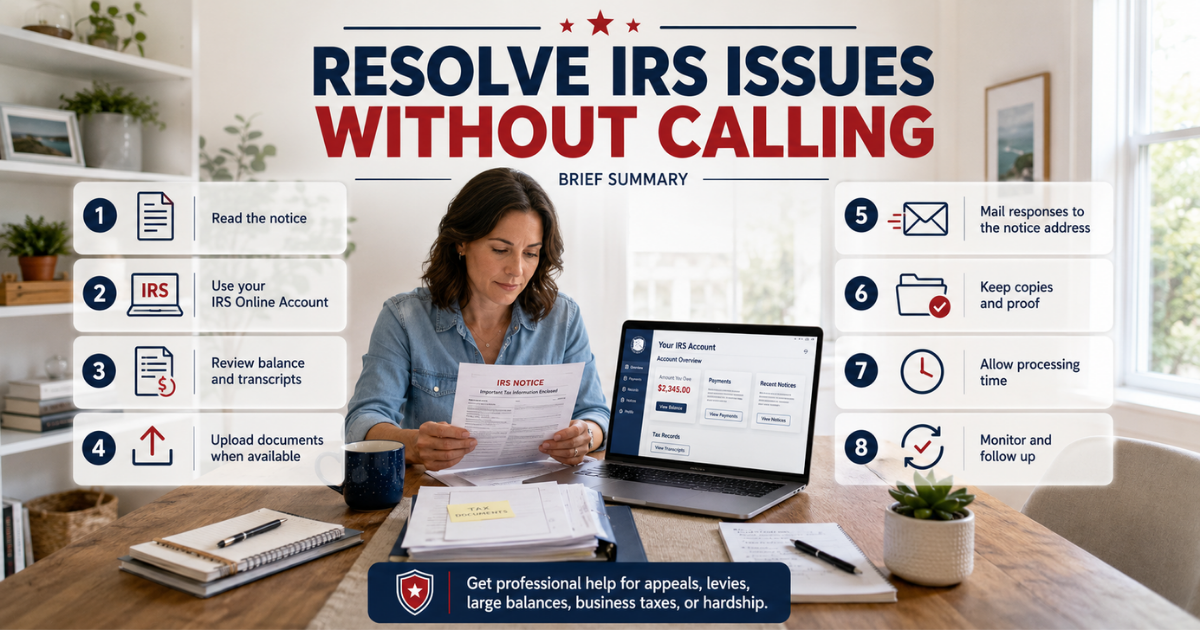
Brief Summary of Resolving IRS issues without calling the IRS:
Read the entire IRS notice before taking action.
Create or access your IRS Online Account.
Review your balance, payments, notices, and transcripts.
Use the IRS Document Upload Tool when it is available for your notice.
Send mailed responses to the exact address listed in the notice.
Keep copies and proof of submission.
Allow the IRS reasonable processing time.
Monitor your transcript and online account for posted changes.
Follow up when the stated processing period has passed.
Get professional help when the matter involves an appeal, levy, large balance, several tax years, business taxes, or financial hardship.
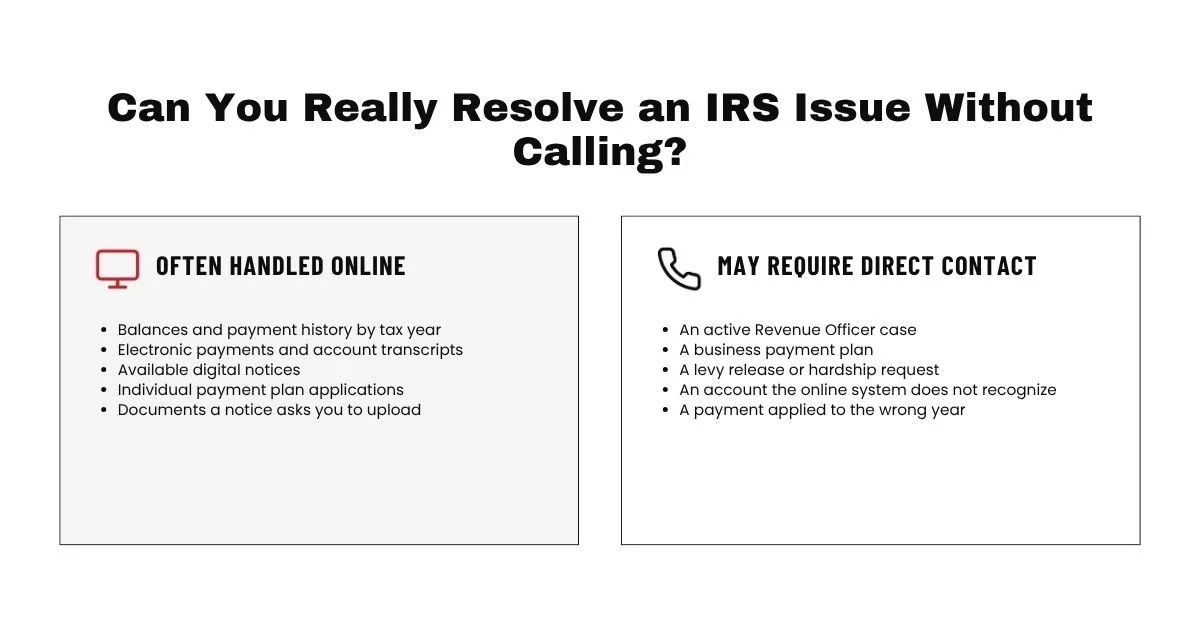
Can You Really Resolve an IRS Issue Without Calling?
Yes, many IRS matters can be resolved without calling. The IRS provides online accounts, electronic payment systems, payment plan applications, transcript access, digital notices, document uploads, and written response procedures.
The IRS also states that most correspondence can be handled without calling or visiting an IRS office when you follow the instructions in your notice. However, the correct response method depends on the exact notice and the department handling the matter.
IRS Matters That Can Often Be Handled Online
You may be able to complete the following tasks without speaking to an IRS employee:
View your balance by tax year.
Review recent, pending, and scheduled payments.
Make an electronic payment.
Download tax account transcripts.
View available digital notices.
Apply for an individual payment plan.
Revise certain existing payment plans.
Approve a power of attorney request.
Upload documents requested in an IRS notice.
Check the status of certain refunds, amended returns, and mail examinations.
Not every feature is available for every taxpayer or every type of account. Business accounts and cases assigned to a Revenue Officer may have different procedures.
Situations That May Still Require Direct Contact
Some matters may still require communication with an IRS employee. This can include an active Revenue Officer case, a business payment plan, an immediate levy problem, a request for financial hardship status, or a notice that specifically tells you to contact an assigned employee.
Direct contact may also be needed when the online system does not recognize your account, a payment was applied to the wrong taxpayer or tax year, or the IRS has not acted after the normal processing period has passed.
The goal is not to avoid every IRS call. The goal is to use the most effective communication method for the specific problem.
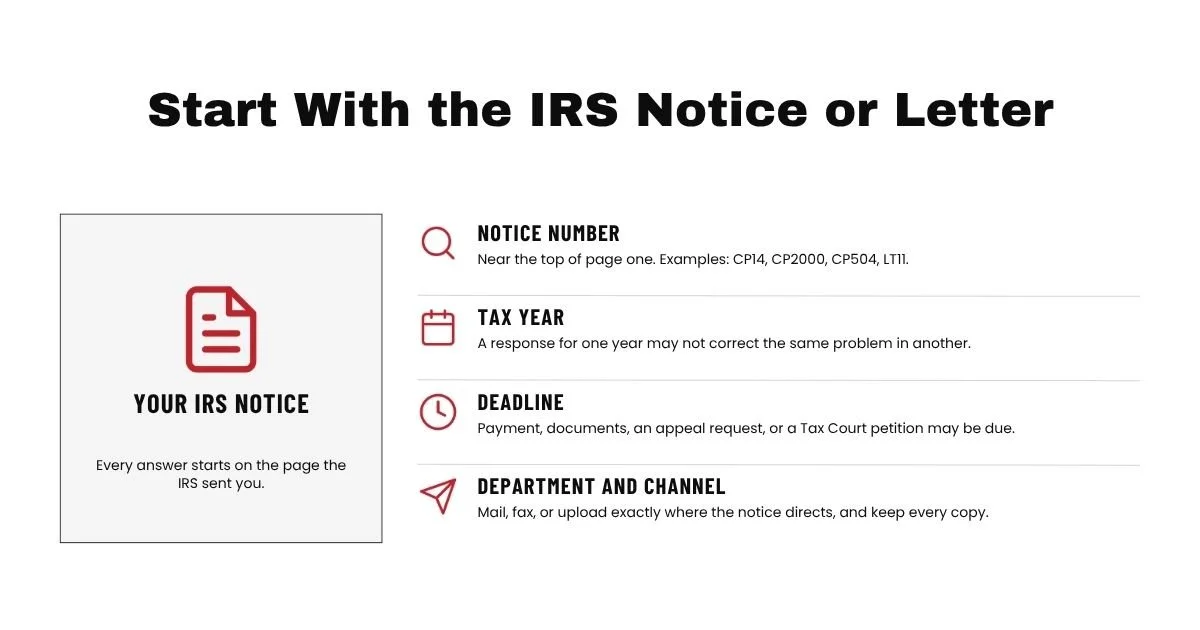
Start With the IRS Notice or Letter
An IRS notice is your starting point. Do not begin by searching for a general IRS mailing address or sending documents to the first IRS office you find online.
The notice should identify why the IRS contacted you, what tax year is involved, whether the IRS needs a response, when the response is due, and where the response should be sent.
Identify the Notice Number, Tax Year, and Deadline
Look for a notice or letter number near the top of the first page. Examples may include CP14, CP2000, CP504, LT11, or Letter 1058.
Next, identify the tax year or tax period. A response for one tax year may not correct a similar problem for another year.
Finally, identify the deadline. Some notices only request payment. Other notices require documents, a signed response, an appeal request, or a Tax Court petition by a specific date.
Do not assume the deadline has been extended because you uploaded documents, mailed a letter, requested more time, or are waiting for an IRS response. A separate legal deadline may continue to run.
Respond to the Department Listed on the Notice
Different IRS functions process different types of cases. An Automated Underreporter unit may handle a CP2000 response. An examination unit may handle an audit document request. An IRS collection unit may handle an unpaid balance or payment arrangement. A Revenue Officer may personally control a business or collection case.
Use the mailing address, fax number, upload instructions, or employee contact information shown on the notice. Do not assume another IRS unit will receive and reroute your response before the deadline.
All notices should explain where to send the response. The IRS instructs taxpayers to follow the notice and retain copies of all correspondence.
Keep Proof of Everything You Submit
Keep a complete copy of the notice, your response, every attachment, and your submission confirmation.
For mailed responses, retain tracking or delivery records. For faxed responses, retain the transmission confirmation. For document uploads, save the electronic confirmation.
Do not send original records unless the IRS specifically requires them. The IRS generally instructs taxpayers to send copies and keep their original documents.
Use Your IRS Online Account
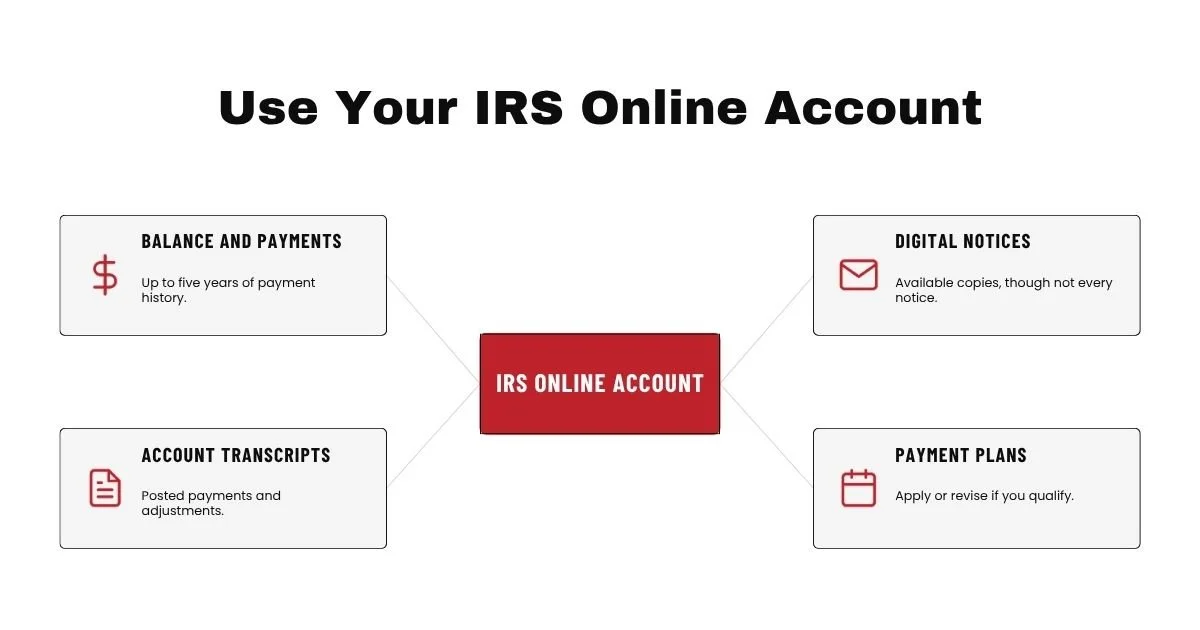
An IRS Online Account is one of the most useful tools for resolving and monitoring an individual tax issue without calling.
The account can provide balance information, payment history, transcripts, selected notices, payment plan information, and other account details. The available information depends on the taxpayer and type of matter.
Review Your Balance and Payment History
Before making another payment, compare the notice with the balance shown in your online account.
Review the tax year, payment type, payment date, and amount. A payment can be delayed, applied to the wrong year, or submitted under the wrong spouse’s Social Security number.
The online account allows you to view up to five years of payment history, along with pending and scheduled payments. It can also be used to make a same day payment or schedule certain future payments.
A payment confirmation from your bank does not always prove that the IRS applied the payment to the correct tax year. Review the IRS account information as well.
View Digital Notices and Tax Records
Your online account may contain digital copies of certain IRS notices. It may also allow you to select paperless delivery for some future correspondence.
Do not rely only on the online account. Not every IRS notice is available digitally, and a mailed notice may contain response forms, addresses, access codes, or legal deadlines that are not fully displayed elsewhere.
Download IRS Account Transcripts
A tax account transcript shows basic account information and changes made after the original return was filed. It may show assessments, payments, credits, penalties, and other posted account actions.
Transcripts are valuable for confirming whether a payment posted, a return processed, an adjustment was made, or an IRS request resulted in an account change.
However, transcripts are not live case notes. A recently submitted response may not appear immediately. Some pending actions, current interest calculations, and internal review activity may not be visible.
Apply for or Change an IRS Payment Plan
Qualified individual taxpayers may be able to apply for a payment plan online. Some taxpayers with existing agreements may also be able to revise the monthly amount, payment date, or banking information.
The IRS offers short term and monthly payment arrangements. Eligibility depends on the account, balance, filing compliance, payment proposal, and other case information.
Business taxpayers generally cannot use the current online payment plan application to establish a business agreement. They may need to follow the instructions on the notice or communicate with the IRS business collection function.
Use the IRS Document Upload Tool
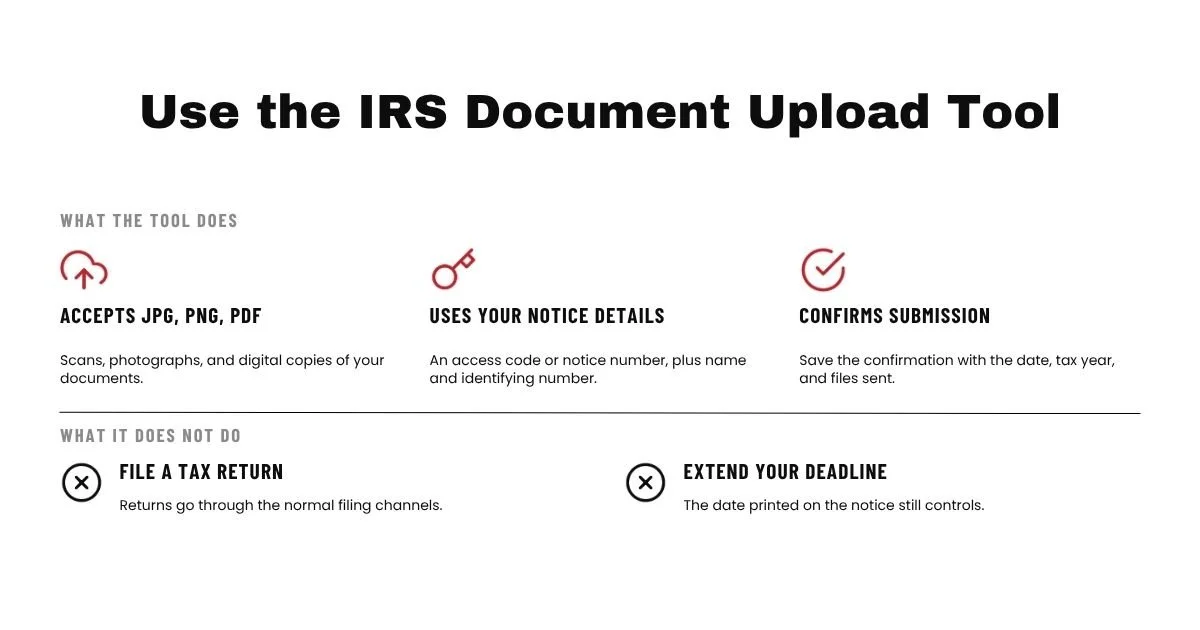
The IRS Document Upload Tool allows taxpayers and representatives to send supporting documents electronically in response to certain IRS notices and letters.
This can be faster than mailing documents and provides confirmation that the upload was received.
What You Can Upload
The tool accepts scans, photographs, and digital copies in JPG, PNG, or PDF format.
You may be asked for an access code from the notice. If an access code is not available, the tool may allow you to select the notice or letter number.
You will generally need the taxpayer or business name and an identifying number, such as a Social Security number, Individual Taxpayer Identification Number, or Employer Identification Number.
What You Cannot Submit Through the Tool
The Document Upload Tool cannot be used to file a tax return.
It should also not be used as a general mailbox for unrelated requests. Select the correct notice or letter. The IRS warns that selecting the wrong notice can cause delays.
A document upload also does not change the response deadline. Complete the submission early enough to correct a technical problem if the upload fails.
How to Confirm the IRS Received Your Documents
Save or print the confirmation screen immediately after submitting your files.
Your records should include the date, notice number, tax year, files submitted, and confirmation. I also recommend keeping one combined PDF copy of the complete response packet.
The confirmation proves that documents were transmitted. It does not prove that the IRS accepted your position or approved your request. The assigned IRS function must still review the response.
ROW 6 Respond to the IRS by Mail or Fax
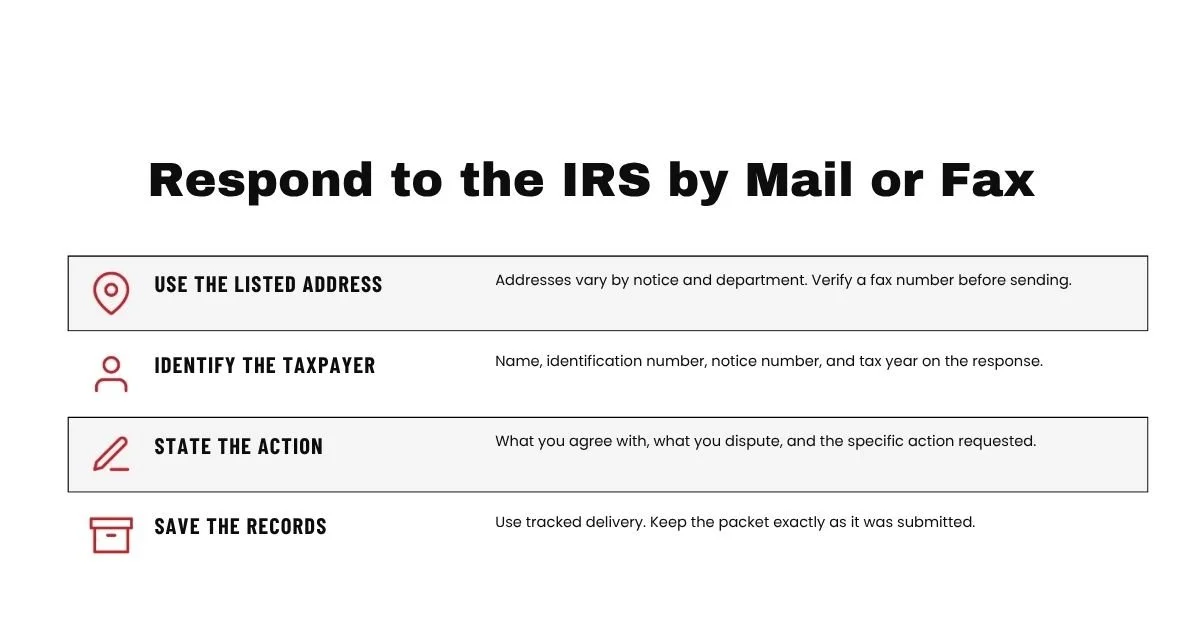
Mail and fax remain important response methods. Some notices allow an upload, while others direct the taxpayer to mail or fax a signed response and supporting evidence.
Use the method listed in the notice. Do not replace a required mailed or signed response with an informal online message unless the notice permits it.
Use the Address or Fax Number on the Notice
IRS addresses vary by notice, department, and processing location. Send the response to the address shown on the notice, even if you previously mailed another document to a different IRS address.
For fax submissions, verify the number carefully. Include the response form or notice page that identifies the taxpayer, notice number, and tax year.
Organize Your Written Response
A clear response should normally contain:
The taxpayer’s full name.
The taxpayer identification number, using appropriate privacy precautions.
The notice or letter number.
The tax year or tax period.
A short explanation of whether you agree or disagree.
The specific action you are requesting.
A list of the documents included.
Any required signatures.
A copy of the relevant notice or response form.
Keep the response focused. Sending a large number of unrelated records can make it harder for the reviewer to identify the evidence that supports your position.
Save Delivery and Submission Records
For important mailed responses, use a delivery method that provides a mailing date and tracking record.
Keep the complete packet exactly as submitted. IRS employees may later request another copy, ask about a specific attachment, or state that part of the submission was not received.
Good records help you prove what was sent and allow you or your representative to reconstruct the case.
Monitor Your IRS Request Without Calling
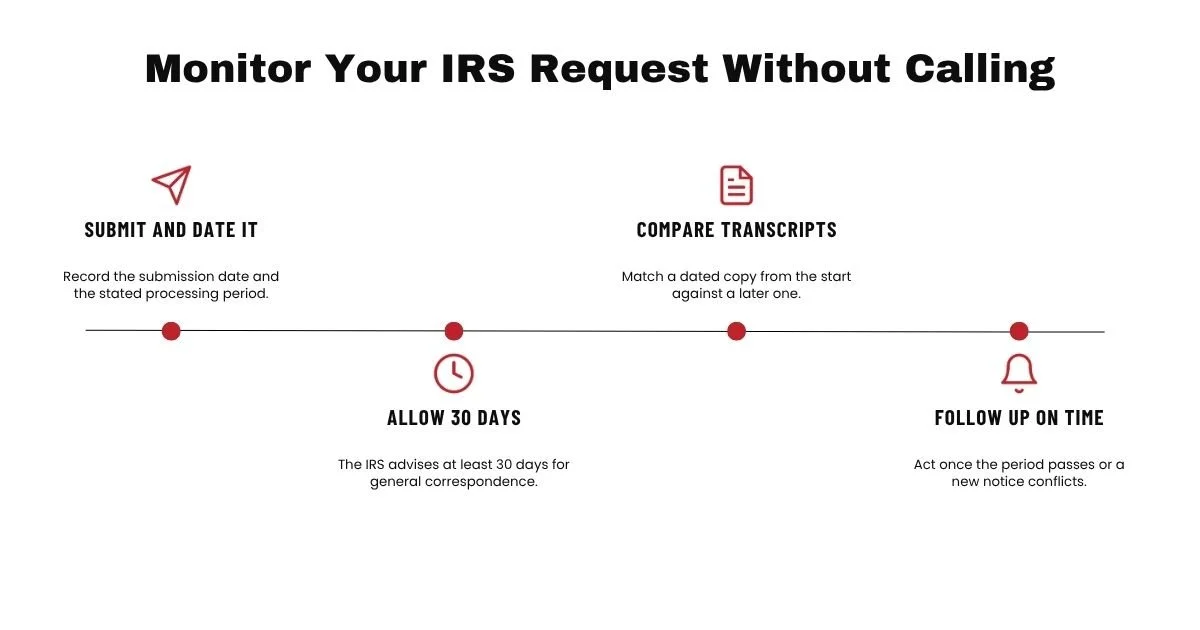
Submitting a response is only part of the process. You also need a system for monitoring the request until the IRS makes a decision or posts the requested account change.
Allow the IRS Time to Review Your Request
The IRS advises taxpayers to allow at least 30 days for a reply to general notice correspondence. Some matters take longer based on the type of request, the department, and the documents involved.
Read the notice for a stated processing period. The confirmation letter, upload message, or IRS acknowledgment may also provide a time frame.
In my practice, I record the submission date and the expected review period. I do not treat the case as complete merely because the documents were delivered.
Look for Updates on Your Account Transcript
A transcript can help identify posted account activity after the IRS reviews a request.
For example, it may eventually show a payment, adjustment, penalty change, return processing entry, additional assessment, or reversal. The exact information depends on the type of case.
Download a dated copy when you first review the matter. Later copies can be compared with the original to identify account changes.
Understand What Transcripts May Not Show
A transcript may not show that an examiner is reviewing your documents, that correspondence is waiting in an inventory, or that an employee is preparing a letter.
A lack of change does not automatically mean the IRS lost the response. It may mean the response has not been reviewed or the decision has not posted.
The transcript also does not replace a formal IRS letter. Important decisions, denials, appeal rights, and deadlines are often communicated by mail.
Know When It Is Time to Follow Up
Follow up when:
The processing period stated by the IRS has passed.
The IRS sends another notice that does not reflect your response.
The account transcript shows an unexpected assessment or collection action.
The IRS promised a response by a specific date and that date has passed.
You are experiencing financial harm because of the delay.
The Taxpayer Advocate Service may assist when normal IRS channels have not resolved a problem and the taxpayer is experiencing financial harm or a delay beyond the regular processing period. TAS generally expects the taxpayer to have made reasonable efforts through normal IRS procedures first.
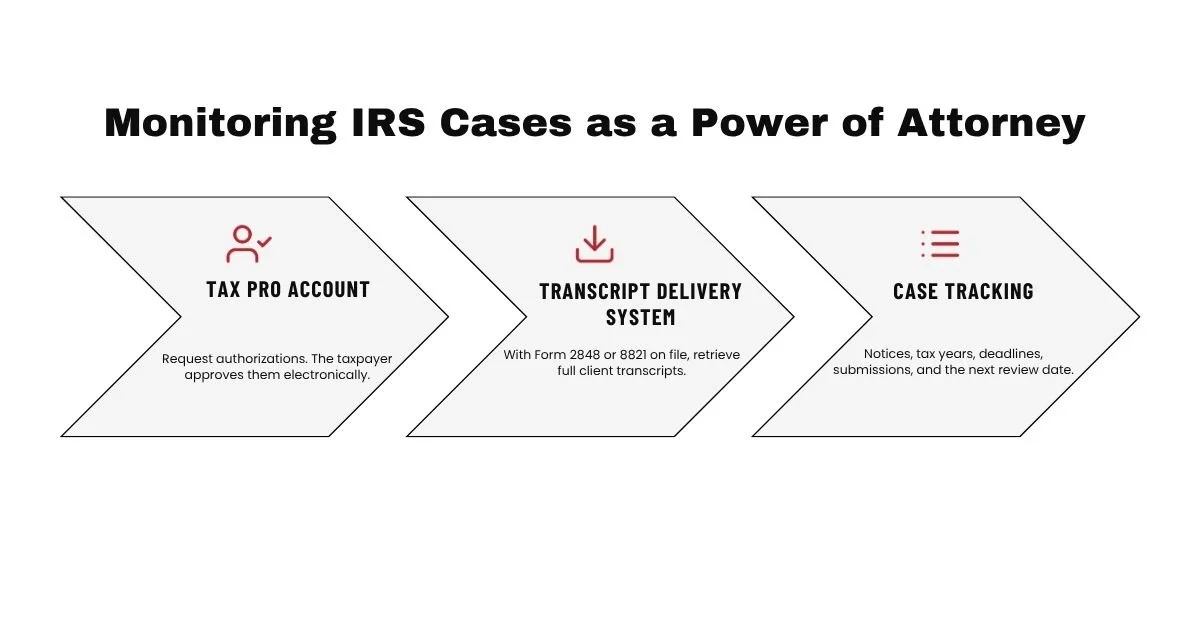
How I Monitor IRS Cases as a Power of Attorney
When I represent a taxpayer, I use several IRS systems and records together. No single screen provides every detail needed to manage a case.
Using IRS Tax Pro Account for Authorizations
Tax Pro Account allows qualified tax professionals to request and manage certain powers of attorney and tax information authorizations.
A taxpayer can receive the authorization request through the taxpayer’s IRS Online Account and approve it electronically. Tax Pro Account may also provide access to taxpayer information and certain individual payment plan functions.
A valid authorization is important because the IRS cannot disclose protected account information to a representative without proper authority.
Using the Transcript Delivery System
After a valid Form 2848 or Form 8821 is on file, eligible practitioners can use the IRS Transcript Delivery System to obtain client transcripts.
The system provides account transcripts, return transcripts, wage and income documents, records of account, and verification of nonfiling letters.
This distinction matters. Tax Pro Account is an authorization and account access tool. The Transcript Delivery System is the primary professional system used to retrieve detailed client transcripts.
Tracking Requests, Deadlines, and Account Changes
For each case, I track:
The IRS department handling the matter.
The notice or letter number.
The tax years involved.
The response deadline.
The date the response was submitted.
The delivery or upload confirmation.
The expected IRS processing period.
The next transcript review date.
Any follow up or appeal deadline.
The most important part of case management is knowing when to wait and when to act. Waiting during a normal review period is part of IRS procedure. Waiting beyond a legal deadline can permanently reduce a taxpayer’s options.
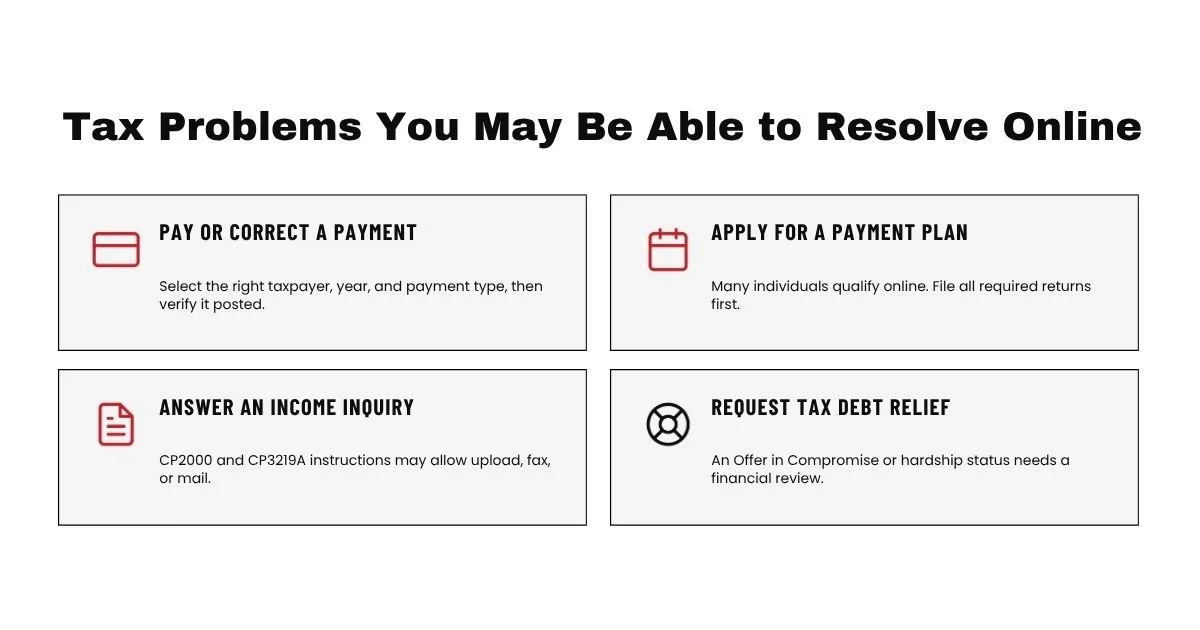
Tax Problems You May Be Able to Resolve Online
The type of problem determines whether it can be fully resolved online or whether the online tools only complete part of the process.
Making a Payment or Correcting a Payment Issue
You can make an electronic payment through an IRS Online Account or another authorized IRS payment method.
Always select the correct taxpayer, tax year, and payment type. Save the confirmation and later verify that the payment appears on the correct account.
If the payment was applied incorrectly, written documentation may be needed. This can include the payment confirmation, bank record, canceled check, or other proof requested in the notice.
Applying for an IRS Payment Plan
Many individual taxpayers can apply for a payment plan without calling. The online application may provide an immediate result when the taxpayer meets the applicable requirements.
Before applying, verify that all required returns have been filed and that the proposed payment is affordable. Most tax debt relief and payment options require filing compliance.
An online payment plan may not be available for a business account, an account assigned to field collection, or a taxpayer requesting a payment below the system’s minimum amount.
Responding to an IRS Examination or Income Inquiry
Some mail examinations and income matching notices allow taxpayers to respond through the Document Upload Tool.
For example, current IRS instructions for CP2000 and CP3219A notices may provide upload, fax, or mail options. The exact option and deadline are stated in the notice.
A written response should explain which proposed changes are accepted, which are disputed, and what evidence supports the taxpayer’s position.
Requesting Tax Debt Relief
Some initial tax debt actions can be completed online, including payments and qualified individual payment plans.
Other relief programs require a formal financial review or application. These may include an Offer in Compromise, Currently Not Collectible status, a reduced payment arrangement, penalty relief, or a dispute concerning the amount owed.
An Offer in Compromise may settle qualifying tax liabilities for less than the full amount. Currently Not Collectible status may temporarily suspend most collection activity when payment would create financial hardship. Neither program is automatically granted merely because the taxpayer submits a request.
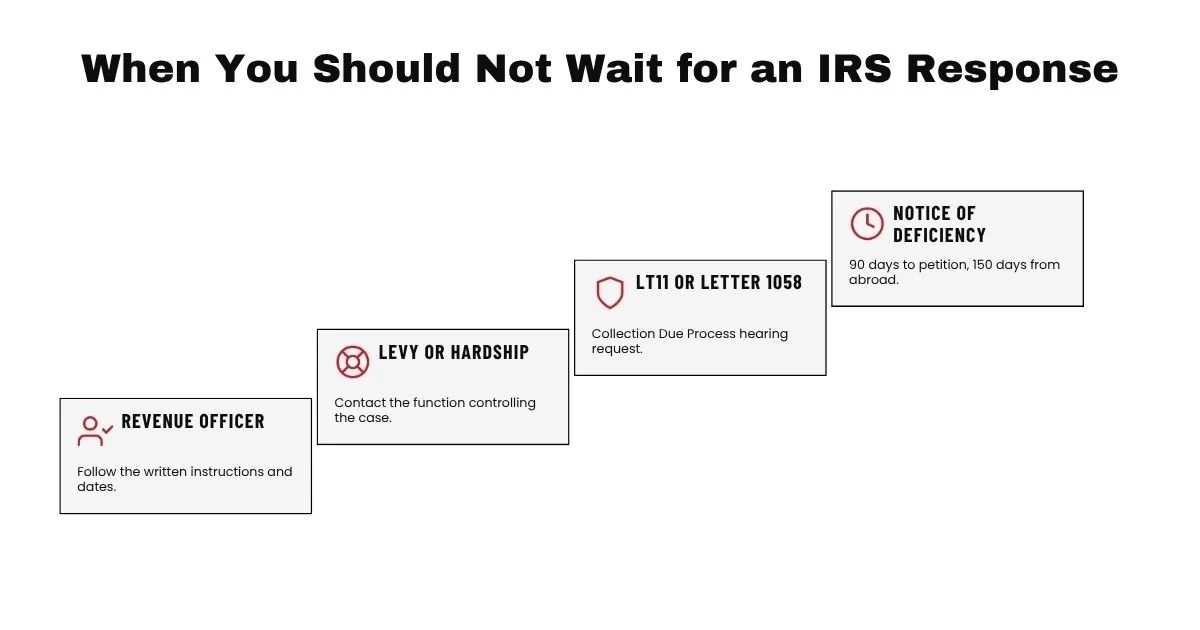
When You Should Not Wait for an IRS Response
There are situations where monitoring an online account is not enough. You must protect the deadline or address the collection risk immediately.
A Notice of Deficiency With a Tax Court Deadline
A Notice of Deficiency may provide 90 days to file a petition with the United States Tax Court, or 150 days when the notice is addressed to a person outside the United States.
Sending documents to the IRS does not extend the Tax Court filing period. The IRS cannot extend that statutory deadline.
You may continue working with the IRS during the response period, but you should separately protect your right to petition when necessary.
An LT11 or Letter 1058 With Appeal Rights
An LT11 or Letter 1058 is a final notice concerning intended levy action and the right to request a Collection Due Process hearing.
The notice contains a limited period for requesting the hearing. Follow the exact deadline and filing instructions printed on the notice.
Do not wait for an online account update before preparing a timely appeal request.
An Active Levy, Garnishment, or Financial Hardship
Immediate action may be required when the IRS has levied a bank account, issued a wage levy, or created a situation that prevents the taxpayer from paying necessary living expenses.
Online tools can provide account information, but the levy release or hardship request may require contact with the IRS employee or collection function controlling the case.
Financial information and supporting documents may be required before the IRS grants Currently Not Collectible status or releases collection because of hardship.
A Revenue Officer Request With a Specific Deadline
When a Revenue Officer is assigned, follow the employee’s written instructions and deadlines.
A Revenue Officer may request tax returns, Forms 433 A or 433 B, bank statements, payroll records, proof of expenses, or a resolution proposal.
Uploading information to a general IRS tool may not satisfy a request that must be delivered directly to the assigned officer.
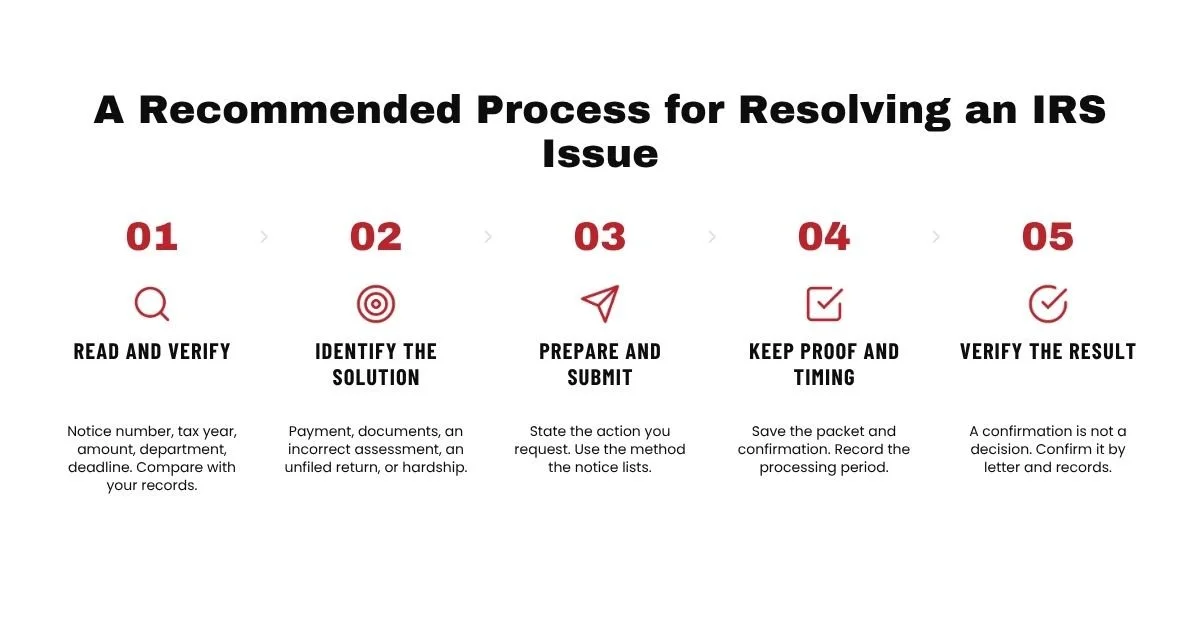
My Recommended Process for Resolving an IRS Issue Without Calling
I recommend using the following process:
Read the entire notice.
Identify the notice number, tax year, amount, IRS department, deadline, and response methods.
Verify the notice.
Compare the notice with your tax return, payment records, IRS Online Account, and transcripts.
Identify the correct solution.
Determine whether the issue involves payment, missing documents, an incorrect assessment, an unfiled return, a collection problem, or an inability to pay.
Prepare a focused response.
State what you agree with, what you dispute, what action you want, and what documents support your request.
Use the response method stated in the notice.
Submit through the Document Upload Tool, fax number, mailing address, online application, or assigned employee identified by the IRS.
Keep proof.
Save the complete response, delivery record, fax confirmation, or upload confirmation.
Record the expected processing period.
Use the period stated in the notice or acknowledgment. For general correspondence, the IRS advises allowing at least 30 days for a reply.
Monitor the account.
Review your IRS Online Account, payment history, digital notices, mail, and account transcripts.
Follow up at the correct time.
Act sooner if another notice arrives, an enforcement action begins, or a legal deadline is approaching.
Keep the case open until the result is verified.
A submission confirmation is not a final decision. Verify the adjustment, payment, agreement, appeal, or relief through an IRS letter and updated account records.
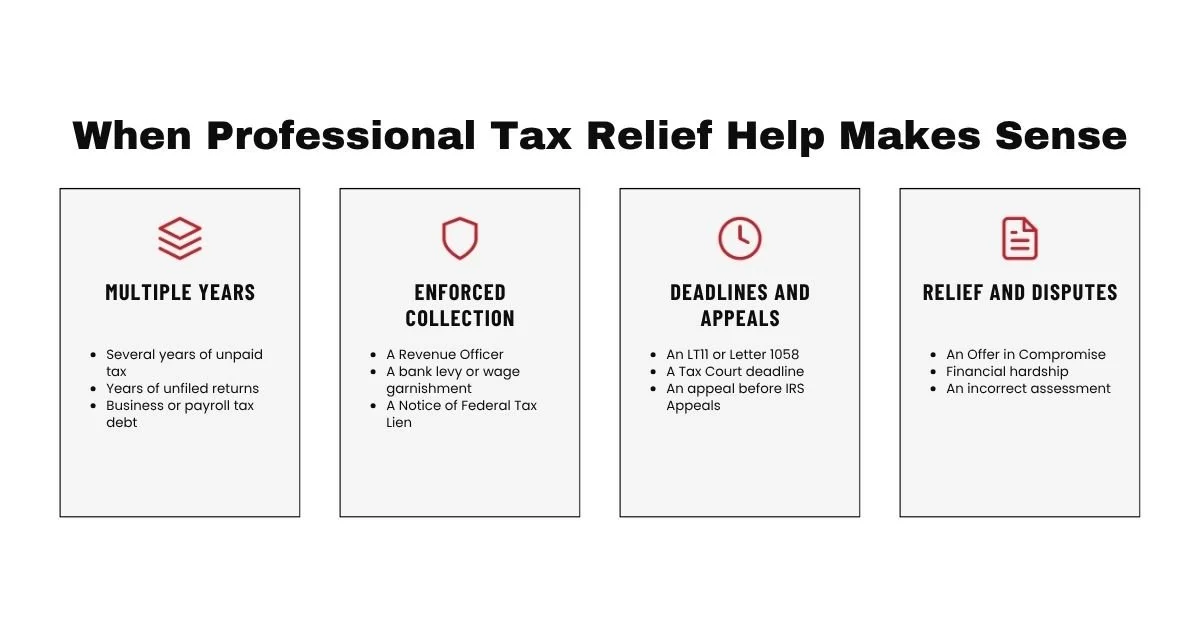
When Professional Tax Relief Help Makes Sense
You may be able to handle a straightforward payment, transcript request, or document upload without professional representation.
Professional help may become valuable when the case involves:
Several years of unpaid taxes.
Years of unfiled tax returns.
Business or payroll tax debt.
A Revenue Officer.
A bank levy or wage garnishment.
A Notice of Federal Tax Lien.
An LT11 or Letter 1058.
A Tax Court deadline.
A rejected payment plan.
An Offer in Compromise.
Financial hardship.
An incorrect assessment.
Identity theft.
An audit or CP2000 reconsideration.
An appeal before the IRS Independent Office of Appeals.
As a power of attorney, I review the full account rather than responding to only the most recent letter. This includes the tax years, balances, filing history, account transcripts, collection status, legal deadlines, and available tax relief options.
The best resolution is based on the full account and the taxpayer’s current financial circumstances. A payment plan may be appropriate for one taxpayer, while another taxpayer may need hardship status, an Offer in Compromise, an appeal, or a correction to an inaccurate assessment.
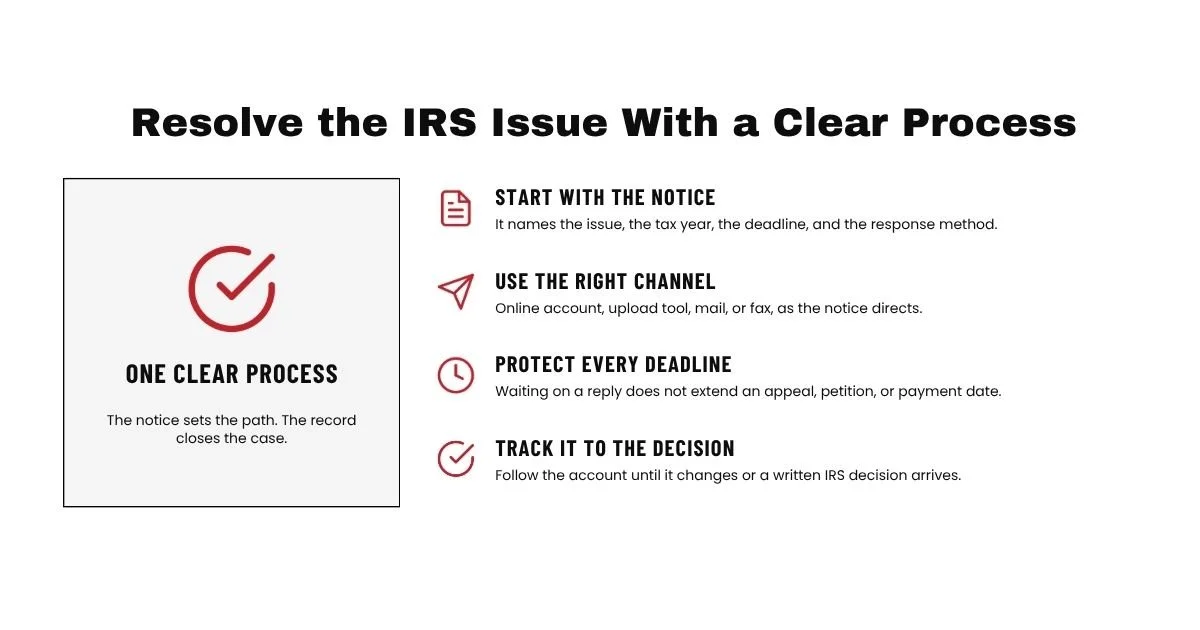
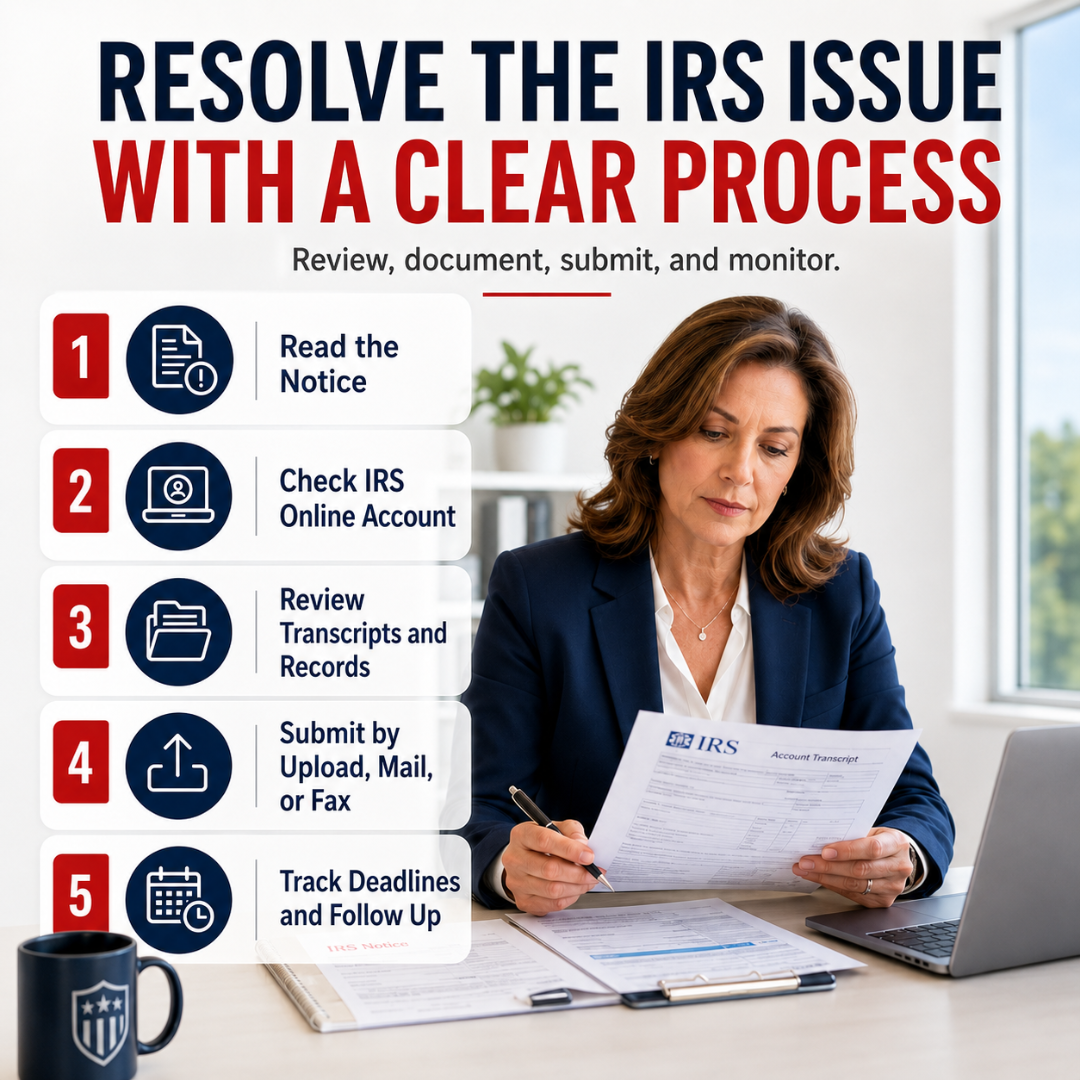
Resolve the IRS Issue With a Clear Process
You do not always need to spend hours waiting for the IRS to answer the phone. Many IRS matters can be reviewed, documented, submitted, and monitored through an IRS Online Account, account transcripts, electronic payments, the Document Upload Tool, mail, or fax.
The process begins with the notice. Respond to the correct department, protect every deadline, keep complete records, and allow the IRS reasonable time to review what you submitted.
Do not mistake waiting for inaction. Once you make a request, track it until the account changes or the IRS issues a written decision.
When the problem involves several tax years, enforced collection, an appeal, a large balance, business taxes, or financial hardship, professional representation may help you identify the complete solution instead of responding to one notice at a time.
At Semper Tax Relief, I review the IRS account, transcripts, filing history, collection status, and financial circumstances before recommending a tax relief strategy. You can request a free case review to discuss the IRS issue and determine the next appropriate step.
Frequently Asked Questions About Resolving IRS Issues Without Calling
-
You can complete many IRS tasks online, including reviewing individual account balances, making payments, downloading transcripts, viewing available digital notices, applying for certain payment plans, and approving authorization requests.
You can also use the IRS Document Upload Tool to respond to qualifying notices. However, the IRS does not provide a single general email address for resolving every tax matter. Use the specific online tool or response method associated with your issue.
-
The Document Upload Tool is separate from the standard IRS Online Account. You may be able to access it with a code from your notice or by selecting the applicable notice or letter.
You will need identifying information from the notice. Select the correct notice because an incorrect selection may delay processing.
The upload tool accepts supporting documents, but it cannot be used to file a tax return.
-
For an electronic upload, save the submission confirmation. For a fax, save the successful transmission report. For mail, retain the mailing and delivery records.
A delivery confirmation proves that the response reached the stated destination. It does not prove that the IRS reviewed or approved it.
You may later see a transcript change, receive an acknowledgment letter, or receive a formal decision. Continue monitoring the account until the requested action is confirmed.
-
The IRS advises allowing at least 30 days for a response to general notice correspondence. Some matters may take longer.
Use any processing period stated in the notice or acknowledgment letter. Do not wait beyond a separate appeal, petition, filing, or payment deadline.
Follow up when the stated period has passed, another inconsistent notice arrives, or the delay is causing financial harm.
-
An account transcript can show posted account transactions, including payments, assessments, credits, and certain adjustments.
It does not provide a complete description of an examiner’s work, a collection employee’s notes, or every pending document. A submitted response may be waiting for review even when the transcript has not changed.
Use transcripts as one monitoring tool, together with your online account, mailed notices, submission records, and any correspondence from the assigned IRS employee.
-
Some individual tax debts can be paid or placed into a qualified payment plan online.
More involved tax relief requests may require financial statements, supporting documents, formal applications, or communication with an IRS employee. This may include an Offer in Compromise, Currently Not Collectible status, a reduced payment arrangement, levy release, or a business tax resolution.
Before choosing a program, verify the amount owed, filing compliance, collection status, remaining collection period, and ability to pay. The easiest application is not always the best long term resolution.
Resolve the IRS Issue With a Clear Process
You do not always need to spend hours waiting for the IRS to answer the phone. Many IRS matters can be reviewed, documented, submitted, and monitored through an IRS Online Account, account transcripts, electronic payments, the Document Upload Tool, mail, or fax.
The process begins with the notice. Respond to the correct department, protect every deadline, keep complete records, and allow the IRS reasonable time to review what you submitted.
Do not mistake waiting for inaction. Once you make a request, track it until the account changes or the IRS issues a written decision.
When the problem involves several tax years, enforced collection, an appeal, a large balance, business taxes, or financial hardship, professional representation may help you identify the complete solution instead of responding to one notice at a time.
At Semper Tax Relief, I review the IRS account, transcripts, filing history, collection status, and financial circumstances before recommending a tax relief strategy. You can request a free case review to discuss the IRS issue and determine the next appropriate step.